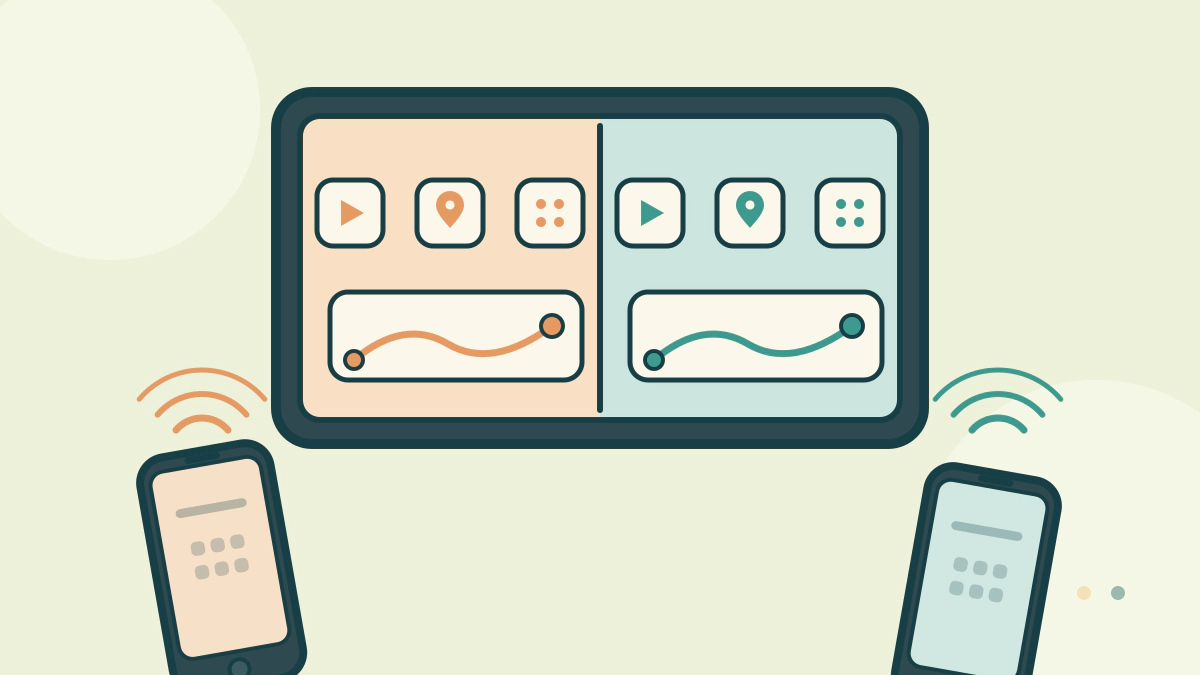
Compare Apple CarPlay and Android Auto on phone requirements, wired and wireless setup, voice control, app choices and the car hardware both depend on.
Which is better, CarPlay or Android Auto?
Neither wins in general. The better system is the one built for the phone you carry, because both simply project that phone onto the car’s display. An iPhone cannot run Android Auto, and an Android phone cannot run CarPlay.
They are phone interfaces, not competing car features. The car supplies the screen, the microphone, the buttons and often the USB port.
So the useful question is narrower. Does the car you want support the system your phone uses, and in which form?
Two projections, not two car operating systems
Apple describes CarPlay as a way to use an iPhone in the car for directions, calls, messages, music and Siri. The phone does the computing, and the car’s display shows a driving-oriented view of selected apps.
Google’s Android Auto help says Android Auto is built into phones, so there is no separate app to download. It is not available on Android Go devices.
Neither system replaces the car’s own software. Climate settings, vehicle options, cameras and warning screens usually stay in the manufacturer’s interface. That split matters on a test drive: the projection screen can be excellent while the car’s own menus are slow.
Phone, cable and wireless requirements
| Requirement | Apple CarPlay | Android Auto |
|---|---|---|
| Phone | iPhone with Siri turned on | Android phone; not Android Go |
| Wired link | USB cable, Apple advises its own cable | Android 11.0 or higher, high-quality USB cable |
| Wireless link | Stereo in wireless or Bluetooth mode, phone Wi-Fi and Bluetooth on | Android 11.0, 5 GHz Wi-Fi support, one-time Bluetooth pairing |
| Voice control | Siri, often through the steering-wheel voice button | Google Assistant or Gemini |
| Vehicle availability | Apple lists over 800 models | Google lists over 500 models |
Apple’s page says wireless-only cars need the stereo in wireless or Bluetooth mode, Wi-Fi on and the car selected under Settings, General, CarPlay. Google says the first wireless connection needs Bluetooth pairing, with Bluetooth, Wi-Fi and location services on.
These requirements change with phone and car generations, so check the current support page for your exact phone.
The car decides more than the badge
Both systems depend on hardware the manufacturer chose. A car may offer CarPlay only with a cable, only on upper trims, or not at all. Apple says CarPlay is standard or optional on many 2016 and later cars, and that support varies by model and configuration.
Google’s Android Auto site lists more than 500 compatible models and points buyers to a vehicle and stereo list. It also tells buyers to confirm compatibility with the manufacturer.
Screen size, button layout and microphone quality shape daily use more than the software logo. A small, laggy screen makes either system frustrating.
If the car lacks the feature, an aftermarket head unit may add it. That route has its own traps, covered in aftermarket CarPlay head units.
Voice control and app differences you will notice
The assistant is the biggest practical difference. CarPlay leans on Siri for calls, messages, music and navigation. Android Auto leans on Google’s assistant, which Google now markets as Gemini on newer setups.
Navigation is less of a split than it once was. Apple’s CarPlay page lists Google Maps and Waze among supported navigation apps, so an iPhone user is not locked into Apple Maps. Android Auto users commonly run Google Maps or Waze.
Messaging follows your phone’s ecosystem. An iPhone user gets Apple’s messaging experience through CarPlay, while an Android user gets the phone’s messaging apps through Android Auto. Group chats and media apps can behave differently, so test the ones you actually use.
Distraction and privacy are shared problems
NHTSA counts fiddling with the stereo, entertainment or navigation system as distracted driving. The agency reports that 3,208 people were killed in crashes involving distracted drivers in 2024. A hands-free interface reduces some touches, but it does not make a screen safe to browse at speed.
Set destinations, playlists and calls before you move. Use voice control for simple requests. Pull over for anything that needs reading.
On privacy, both systems pass data between the phone and the car. Apple and Google each publish their own terms, and the car maker may collect separate vehicle data. The choices you make about a connected-car plan can matter as much as the projection brand; see connected-car subscriptions and automotive cybersecurity risks.
How to check both before you buy
- Bring your own phone and a known-good cable.
- Pair it while the car is parked.
- Open your usual navigation, music and messaging apps.
- Try the steering-wheel voice button and one physical knob.
- Check whether the car offers wireless, or only wired.
- Confirm the trim and model year support the feature.
Do this with the salesperson present but the screen in your hands. A quick check at the dealership is worth more than any spec sheet. More guidance sits in the Car Technology and Electronics hub.
Frequently asked questions
Can a car support both CarPlay and Android Auto?
Yes, many cars support both, sometimes only on certain trims. Apple and Google each publish compatibility lists, but the window sticker and owner’s manual are the final check for a specific vehicle.
Does wireless projection use phone data?
Yes. Navigation, streaming and messages use the phone’s data plan unless the car provides its own connection. Google lists an active data plan as a requirement. Check roaming costs before using it abroad.
Why does CarPlay or Android Auto disconnect?
A damaged cable, a loose USB port, an overheated phone or wireless interference can all cause it. Start with a known-good cable and a clean port, then check the support pages for your phone and car.
Is one system safer while driving?
Neither is inherently safer. Both are designed around voice control and simplified screens, but NHTSA still counts screen interaction as a distraction.
Bottom line: choose the phone first, then confirm the car supports it in the form you need.